


Automated Processes Centered Around
Microsoft Dynamics 365 Business Central
Connect individual interfaces, extensions, and systems with a single flow.

Triggers and events from Business Central control follow-up processes across different systems.
APIs, third-party systems, and services are cleanly integrated with Business Central.
Additional logic is implemented outside of Business Central—ensuring it is upgrade-secure and maintainable.
Orchestrate processes centrally instead of relying on scattered emails and manual steps.
AutoFlow is a graphical workflow editor inside of Business Central...
Track the execution graphically and in real-time.
Many Business processes don't start or end just in your ERP-System. Additional systems, services and manual steps are part of daily routine.
Quickly adjusting something via code? Unfortunately, it's not that easy. Truly stable customizations are very costly to implement, and every update brings additional maintenance effort.
Conventional low-code tools like Power Automate or n8n only control Dynamics BC from the outside. They lead to dead ends because they lack deep integration with access to all data and trigger possibilities.
While extensions add specific functions to Dynamics BC, they rarely cover the specific needs of users. This leads to a fragmented product strategy and dependency on multiple tools.
Discover typical Workflows which connect Business Central with other systems, services and processes.
The automation is structured, document and without intrusion into the ERP-Core logic
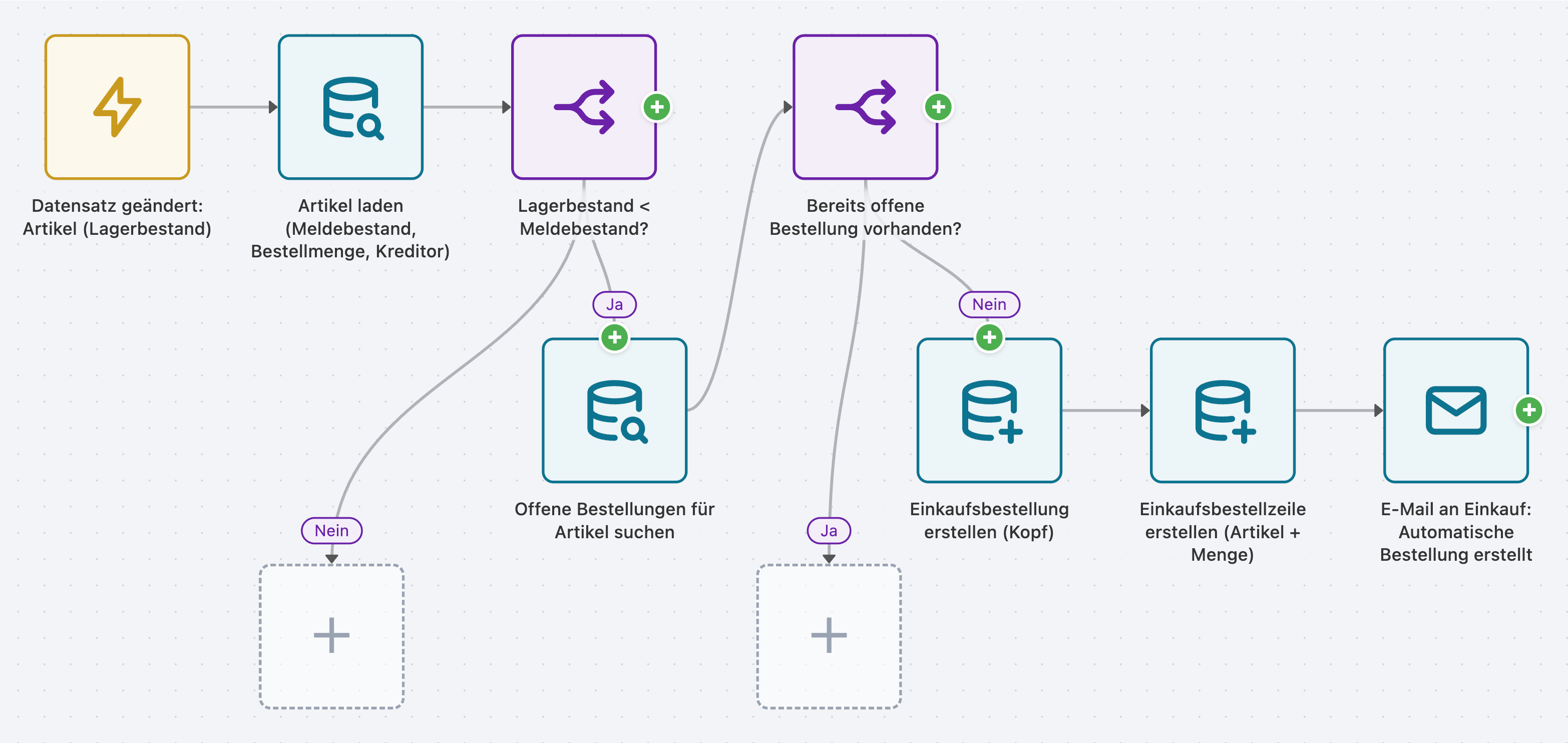
When an item falls below the reorder point, AutoFlow automatically creates a purchase order for the assigned vendor. Intelligent checks prevent duplicate orders by scanning for existing open orders. The purchasing department is notified via email, allowing them to focus on strategic tasks.
In a live demo, we will show you how Business Central responds to external events – in real-time.
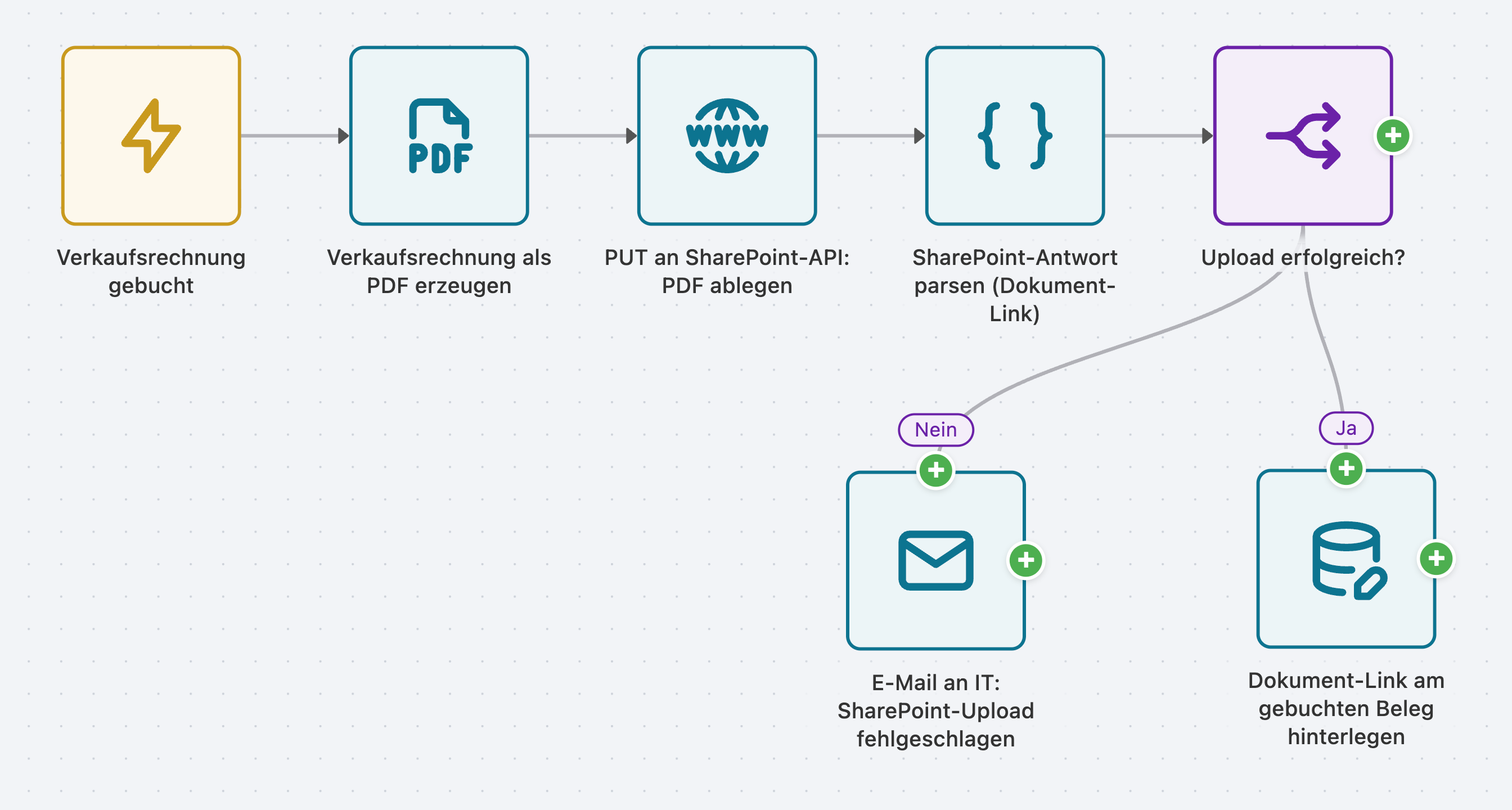
After every posted sales invoice, AutoFlow generates a PDF and stores it in a structured format in your SharePoint – organized by year and customer. The document link is automatically attached to the record in Business Central, making every invoice findable with a single click. If an upload fails, your team is notified immediately.
Let us show you how easily Business Central collaborates with your existing tools.
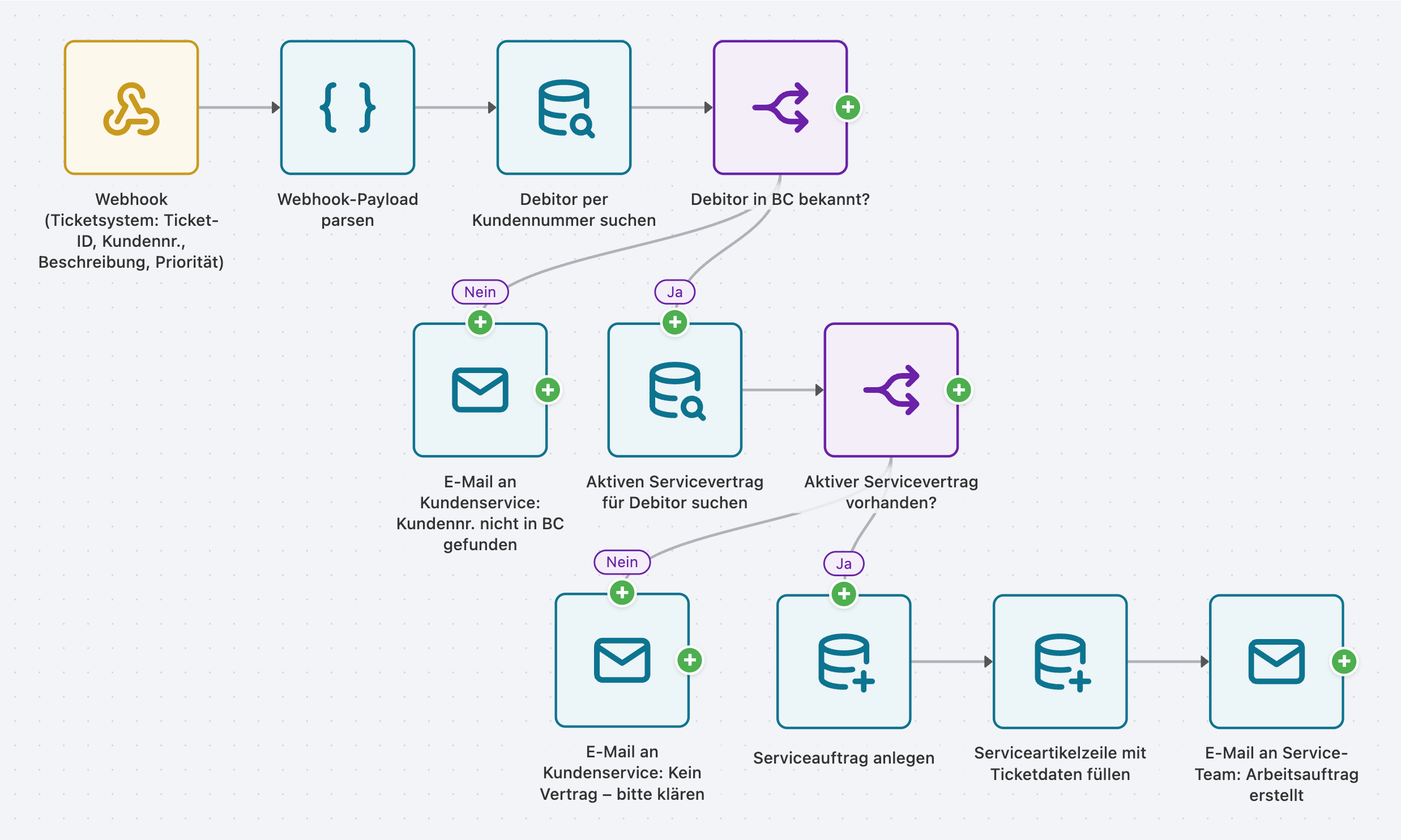
When a support ticket is received, AutoFlow checks in real-time whether the customer is known in Business Central and has an active service contract. Only if both criteria are met is a work order automatically created and the service team notified. No manual data transfer, no forgotten tickets.
In a live demo, we will show you how Business Central responds to external events – in real-time.
Choose the package that fits your flow volume. Free and Starter are great entry points with basic templates—unlock the full range of features starting with Premium.
Get started
1-2 Flows
Free forever
Basic templates · No premium components
Entry point
10 Flows
monthly
Basic templates · No premium components
For growing teams
25 Flows
monthly
All features
included
For high volumes
75 Flows
monthly
All features
included
Unlimited Flow power
Flows
monthly
All features
included
Get started
1-2 Flows
Free forever
Basic templates · No premium components
Entry Point
10 Flows
125 € / monthly
Basic templates · No premium components
For growing teams
25 Flows
208 € / monthly
All features
included
For high volumes
75 Flows
542 € / monthly
All features
included
Unlimited Flow power
Flows
625 € / monthly
All features
included
All Triggers & Steps
Premium-Templates
Full Feature Set
Free and Starter serve as your starting point with basic templates (excluding premium components) and differ only in their flow quota. From the Premium tier onwards, all triggers, steps, and premium templates are fully included—higher-tier packages simply expand your flow quota further.
All prices in EUR, net plus VAT. · 12-month contract term · Annual billing equals 10 monthly payments (2 months free). · Additional packages & suites available upon request.
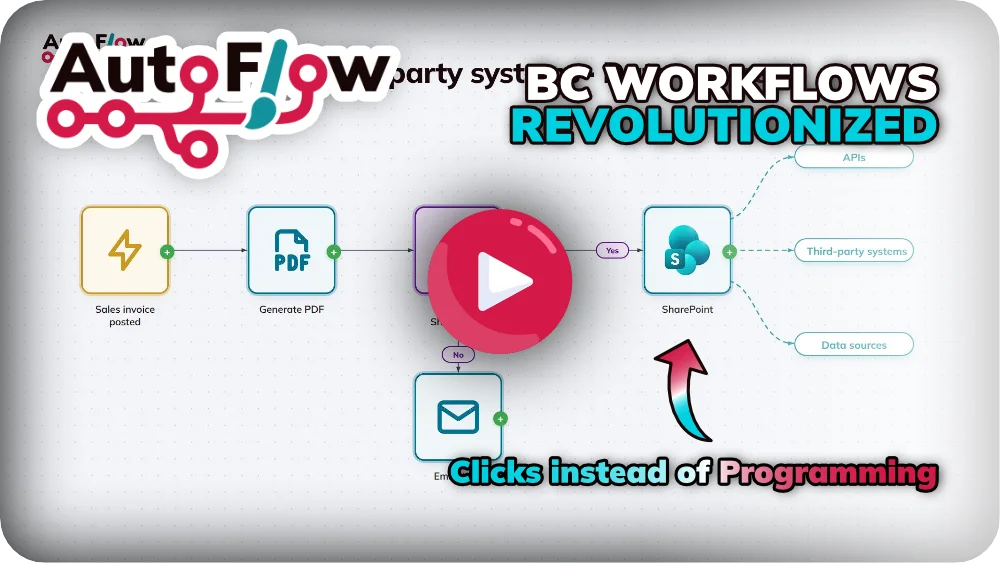
Check our Info-Flyer or Product Video to see why AutoFlow is the right choice for you
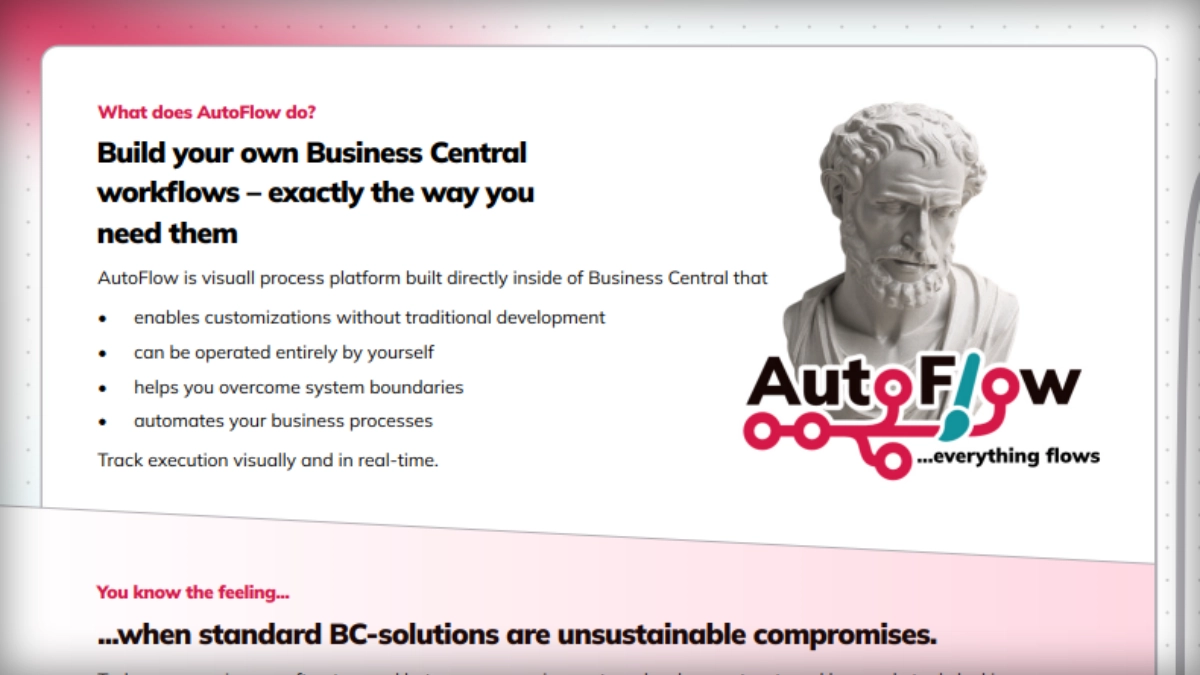
All features at a glance
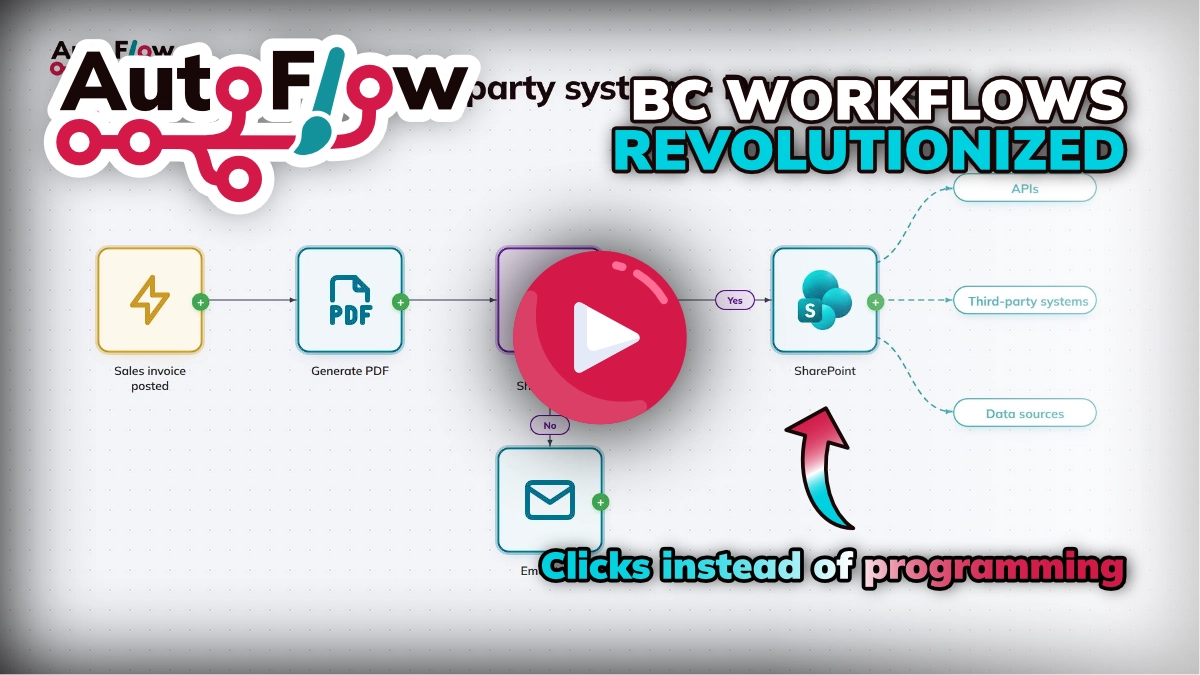
See how AutoFlow works in day-to-day business
In a non-binding demo call, one of our experts will introduce you to AutoFlow in detail and answer your questions.

Your Expert on BC Extensions

Your Expert on Introducing Dynamics BC into your business
No prepared slides, no standard presentations. We take one hour to listen to one of your specific processes—and we build the flow live with you. This way, you can immediately see the impact AutoFlow can have on your Business Central.
What are you waiting for?
mse Software GmbH
Rheinpromenade 13
40789 Monheim am Rhein
Tel: +49 2173 - 99300-99